- Professional Cubase Templates
- Instant Downloads
- Secure Payments
- Guaranteed Support

39,90 €

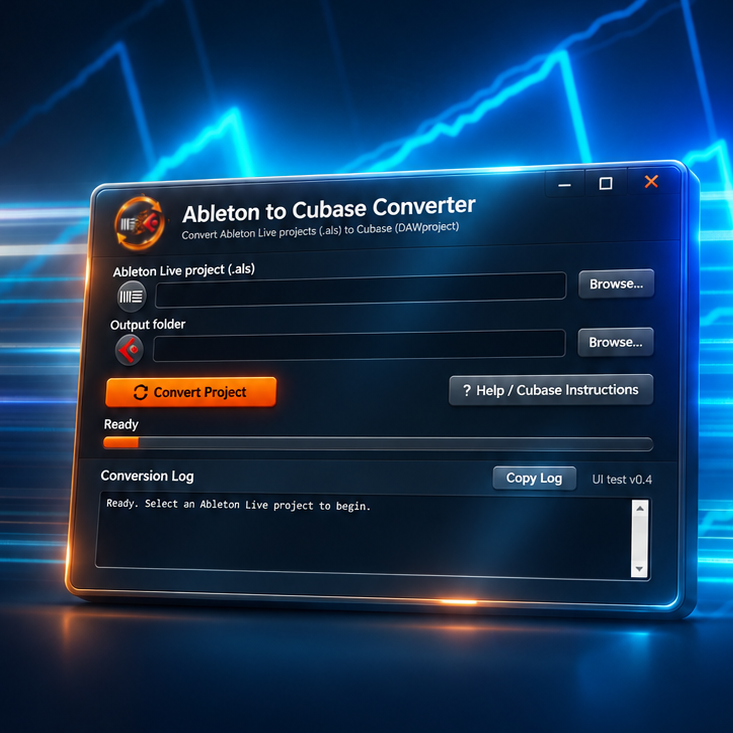
Ableton to Cubase Converter is a dedicated Windows application designed to transfer Ableton Live projects into Cubase while preserving as much of the original production as possible. Instead of starting with empty tracks, manually recreating MIDI patterns, rebuilding effect chains and reprogramming instruments, you can convert your existing Ableton project into a format Cubase can import.
Moving projects between Ableton Live and Cubase often requires exporting audio stems, MIDI files and rebuilding plugin chains manually. Ableton to Cubase Converter simplifies this process by converting supported project information into a Cubase-compatible DAWproject file, helping preserve instruments, effects, automation and track organization.
Watch our video demonstration and see how easily you can convert Ableton Live projects into Cubase-compatible project files.
VST3 Instrument and Preset Preservation
Compatible VST3 instruments can be transferred with their saved plug-in states, helping preserve the sounds and settings used in your original Ableton project.
MIDI and Audio Conversion
Transfer MIDI arrangements, notes, audio material and supported loop structures without manually rebuilding the entire song.
Automation Transfer
Preserve supported automation data, including track volume, panning and send automation, along with other compatible automation parameters.
Group Tracks and Routing
Keep important elements of your project’s organization, including group tracks and supported signal routing, so the converted session more closely resembles the original arrangement.
Master Group Effects
A dedicated Master Group approach allows supported effects from Ableton’s master channel to be transferred into the Cubase project, overcoming an important limitation of conventional DAWproject importing.
Compatible VST3 Effects
Supported VST3 effect plug-ins and their saved states can be transferred, reducing the need to manually reconstruct processing chains.
1. Select Your Ableton Project
Choose an existing Ableton Live .als project file.
2. Convert Your Project
The application processes the project and generates a Cubase-compatible .dawproject file.
3. Continue Producing in Cubase
Import the converted project into Cubase and continue working with the transferred tracks, instruments, effects and supported automation.
No need to export every track individually or rebuild your entire production from scratch!
Operating System
Source Project
.als project filesCubase Requirements
Plug-in Compatibility
Internet Connection
License
Ableton Live and Cubase use different internal project structures, instruments and processing systems. Consequently, not every Ableton feature, native device or third-party plug-in can be reproduced exactly. Conversion results depend on the original project’s content and the availability of compatible VST3 plug-ins. Some elements may require manual adjustments after importing into Cubase.
Ableton to Cubase Converter is designed to preserve as much supported project information as possible, but identical results cannot be guaranteed for every project.
Visit the Official Ableton to Cubase Converter Website — Bring Your Projects Into Cubase.
Sorry, no reviews match your current selections